

Axialis IconGenerator Features
IconGenerator is built to transform icon-set browsing into production-ready outputs with minimal manual work. The feature set combines visual controls for designers with repeatable export workflows for developers.
The application is free. Some icon sets are free, while other Axialis icon sets require licensing for unrestricted project usage. Use the icons catalog and licensing page to validate usage terms before shipping.
Integrated workspace for fast icon production
The main workspace keeps icon sets, overlays, generated previews, and collections visible together. You can select icons, test overlays, and inspect results before exporting.
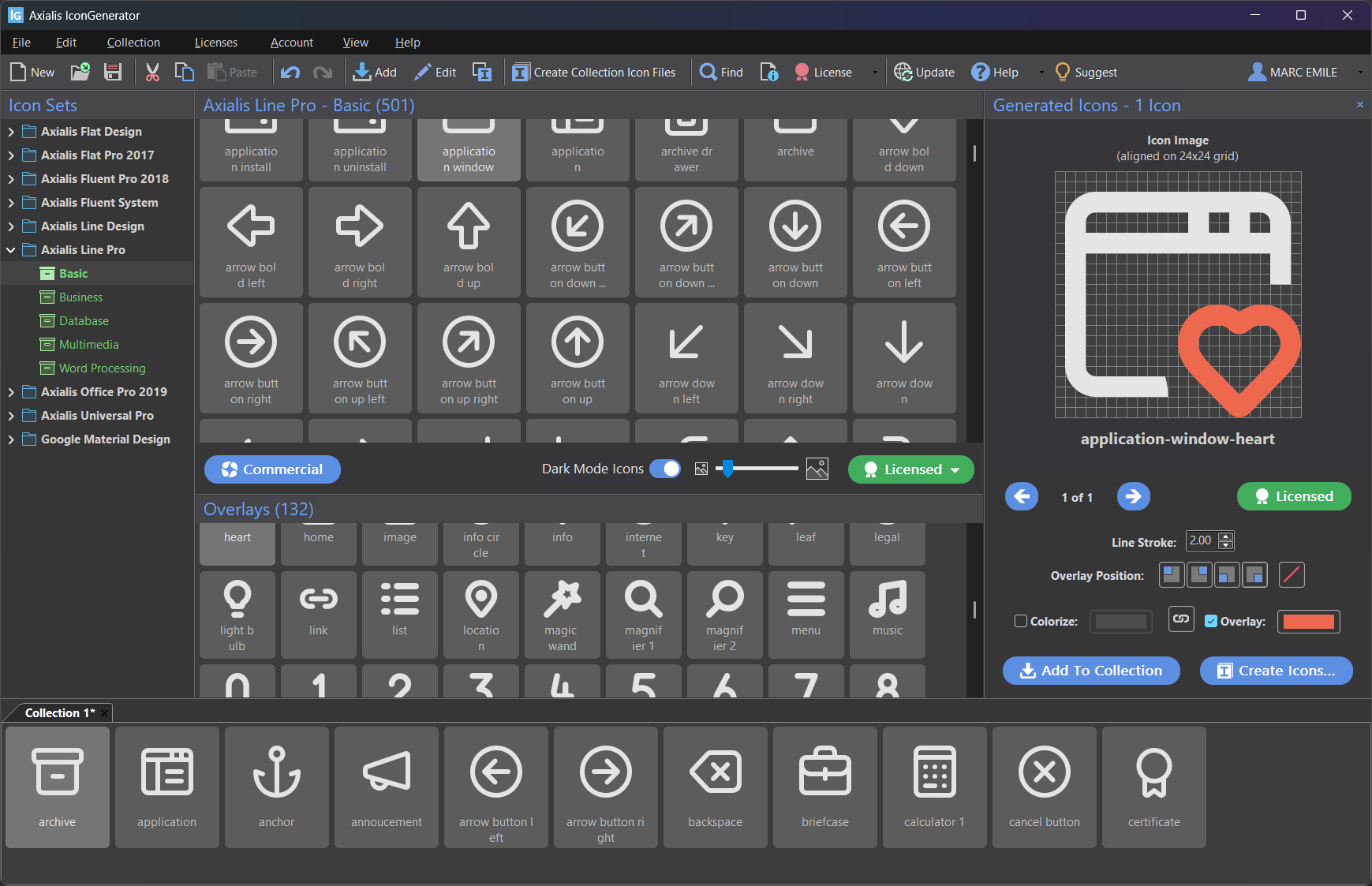
- Icon Sets panel for family/category browsing
- Generated Icons panel for preview and quick actions
- Collection tabs for project-level icon management (AXICP)
- Dockable panels with layout restore controls
Export coverage for real delivery targets
From one export dialog, you can generate vector files, bitmap files, platform icon containers, strips, and font resources.
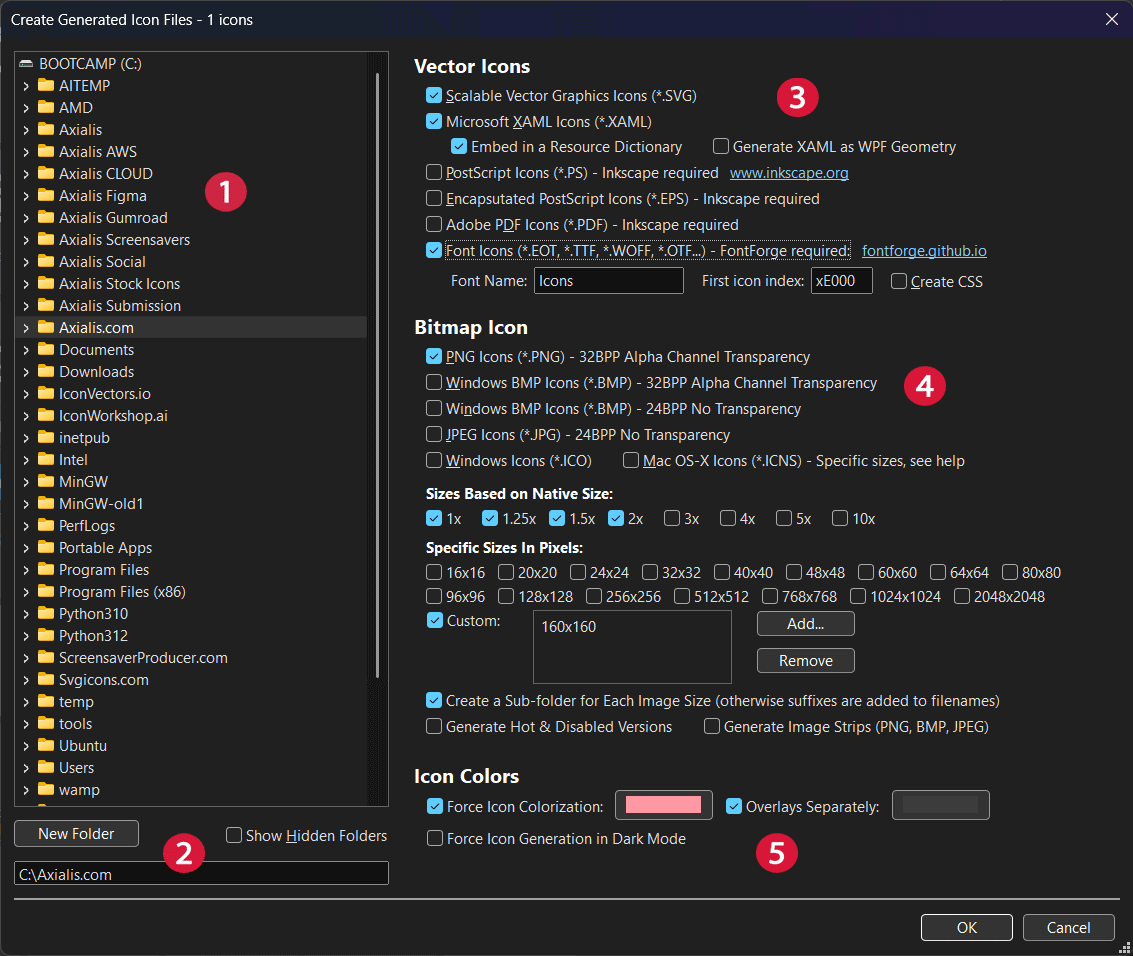
- Vector: SVG, XAML, PDF, EPS, PS
- Bitmap: PNG, BMP (24/32), JPEG
- Platform containers: ICO and ICNS
- Additional outputs: image strips and icon fonts with optional CSS
- Supports fixed pixel sizes and native-size scale factors
Overlays and status-friendly variants
Overlay symbols represent actions or states such as add, remove, warning, and info. Position overlays in any corner and optionally color them separately from the base icon.
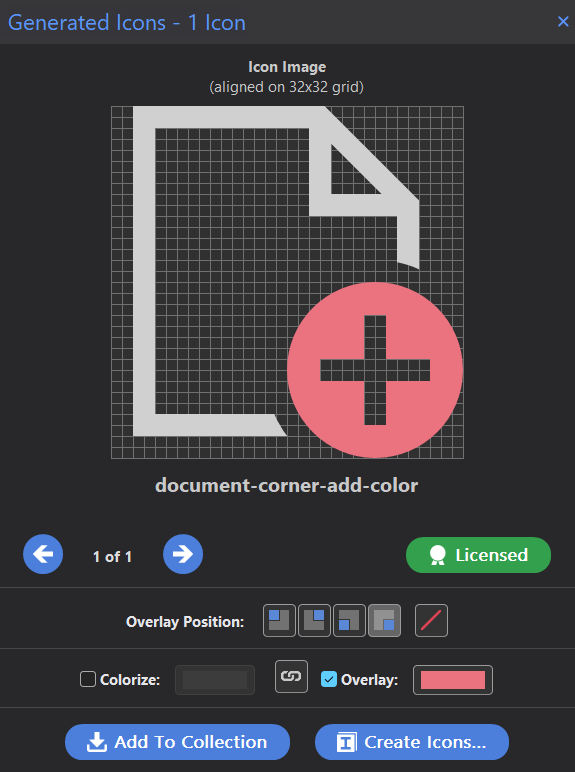
- Top-left, top-right, bottom-left, bottom-right placement
- Focus-aware shortcuts for generated icons and collections
- Axialis Pathfinder clipping option for stronger vector compatibility
Colorization and dark mode generation
Colorize icons with built-in palettes, color overlays independently, and produce dark mode variants in one pass when the icon set supports dark mode rendering.
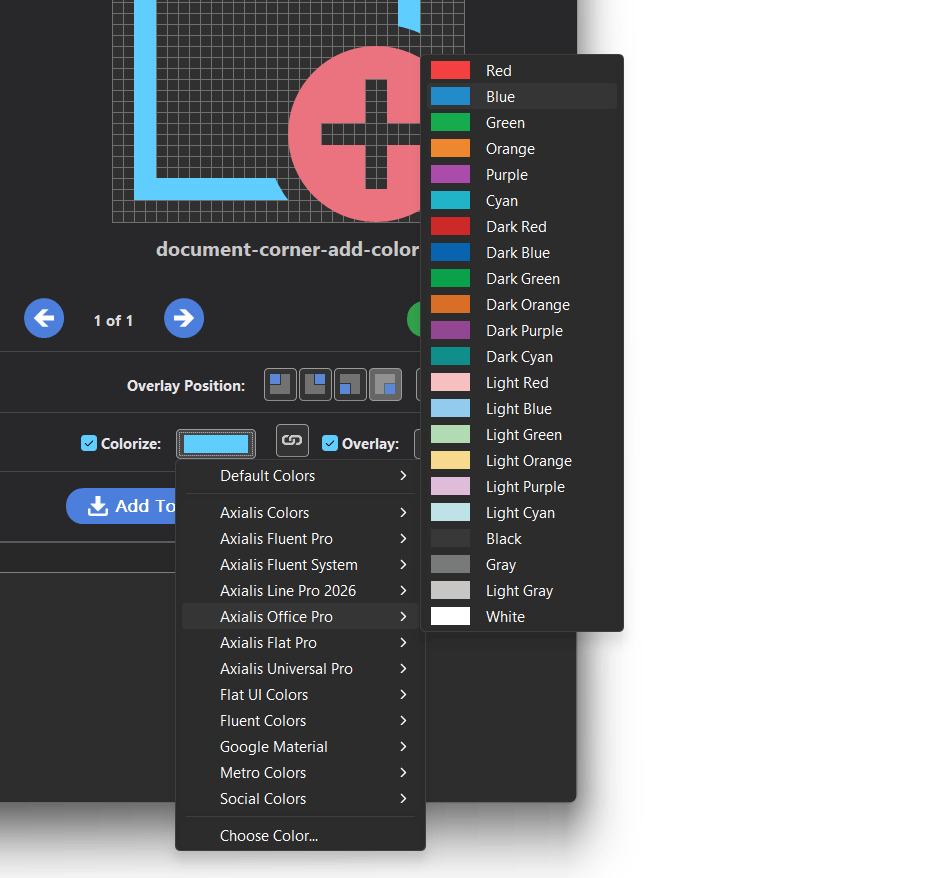
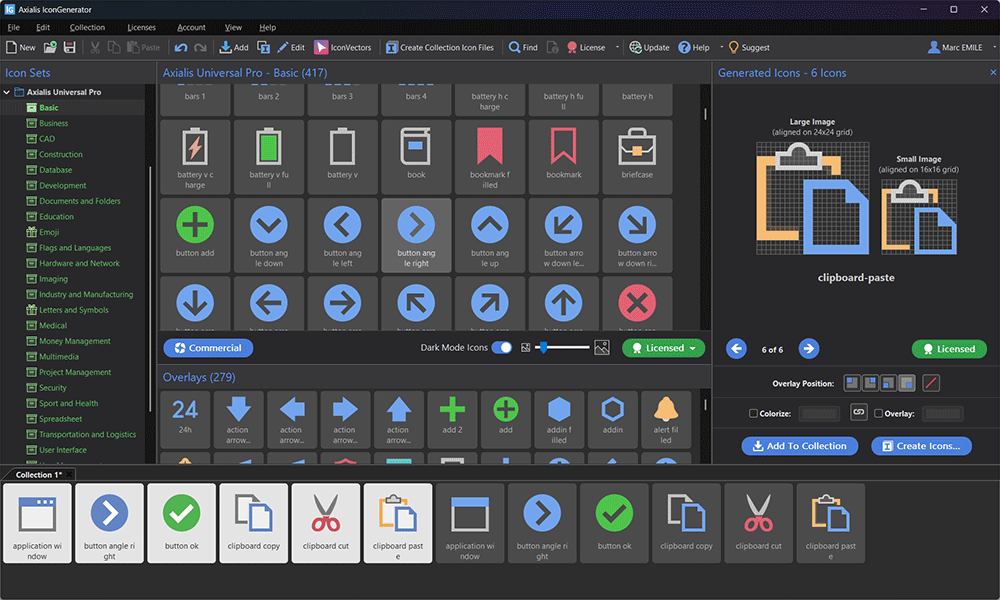
- Monochrome and shaded colorization modes (set-dependent)
- Separate icon and overlay colors for status-driven UI design
- Dark mode icon generation toggle plus export-time force option
Collections for repeatable team workflows
Collections (AXICP) store icon choices, overlays, positions, color settings, names, and IDs so teams can regenerate asset packs consistently.
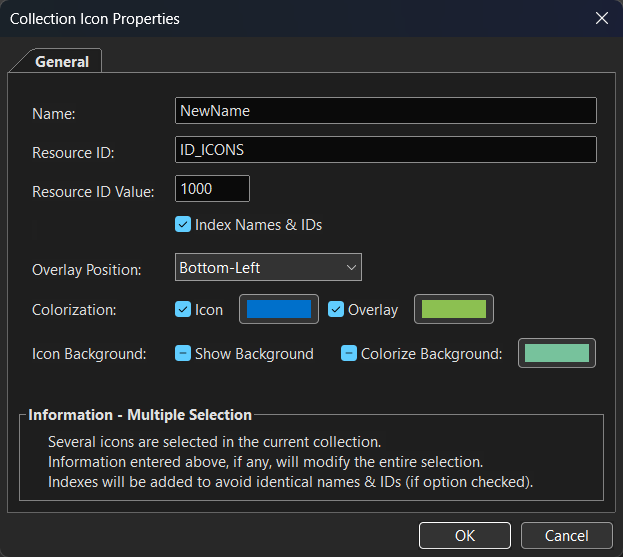
- Add icons from generated results, drag and drop, or double-click
- Sort and duplicate entries, then apply naming conventions
- Export full projects with one command (F4) from the collection
Automation, account, and compatibility
IconGenerator includes command-line generation from AXICP collections and account-based license synchronization. It also supports external SVG editor workflows.
- CLI options for formats, sizes, dark mode, and icon/overlay colors
- Axialis ID sign-in and manual license synchronization
- External editor integration (IconVectors, Inkscape, Illustrator, Affinity)
- Windows and macOS support
Need implementation-level details? Open the documentation bridge or go directly to the full online help.