

Automate Exports from the Command Line
By Axialis Team
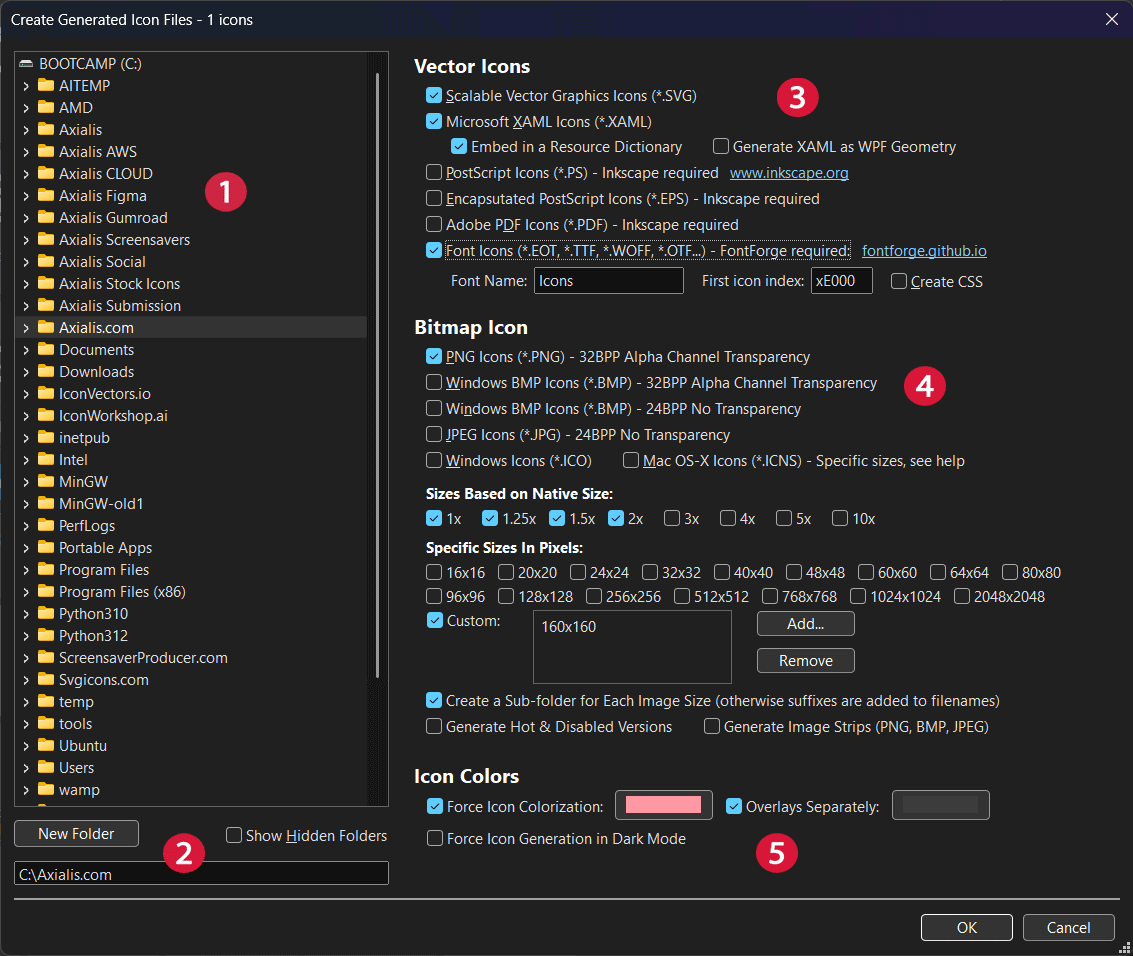
IconGenerator includes CLI support for batch generation from AXICP collections. This is the recommended path for repeatable builds and CI jobs.
Step 1 - Prepare a stable AXICP collection
- Create or open a collection and finalize icon list.
- Confirm naming/ID fields and variant settings before automation.
Step 2 - Run a minimal CLI command
icongenerator -g "C:\icons\project.axicp" -d "D:\build\icons" /svgStep 3 - Add formats and sizes
icongenerator -g "C:\icons\project.axicp" -d "D:\build\icons" /svg /png /ico /s32p /s64p /s256p /sf --hide-progressStep 4 - Add dark mode and colorization when needed
icongenerator -g "C:\icons\project.axicp" -d "D:\build\icons" /svg /png /dm /ic "#33FF99" /oc "#33FF99" --verboseQuote color values in shells where # may start comments.
Step 5 - Integrate into scripts
- Windows BAT: use
start /waitand check errorlevel. - PowerShell: check
$LASTEXITCODE. - macOS/Linux shells: check command exit status after execution.
Dependency checks
- Install Inkscape if pipeline needs PDF/EPS/PS.
- Install FontForge if pipeline needs font output.