

Generate Icon Fonts with CSS Mapping
By Axialis Team
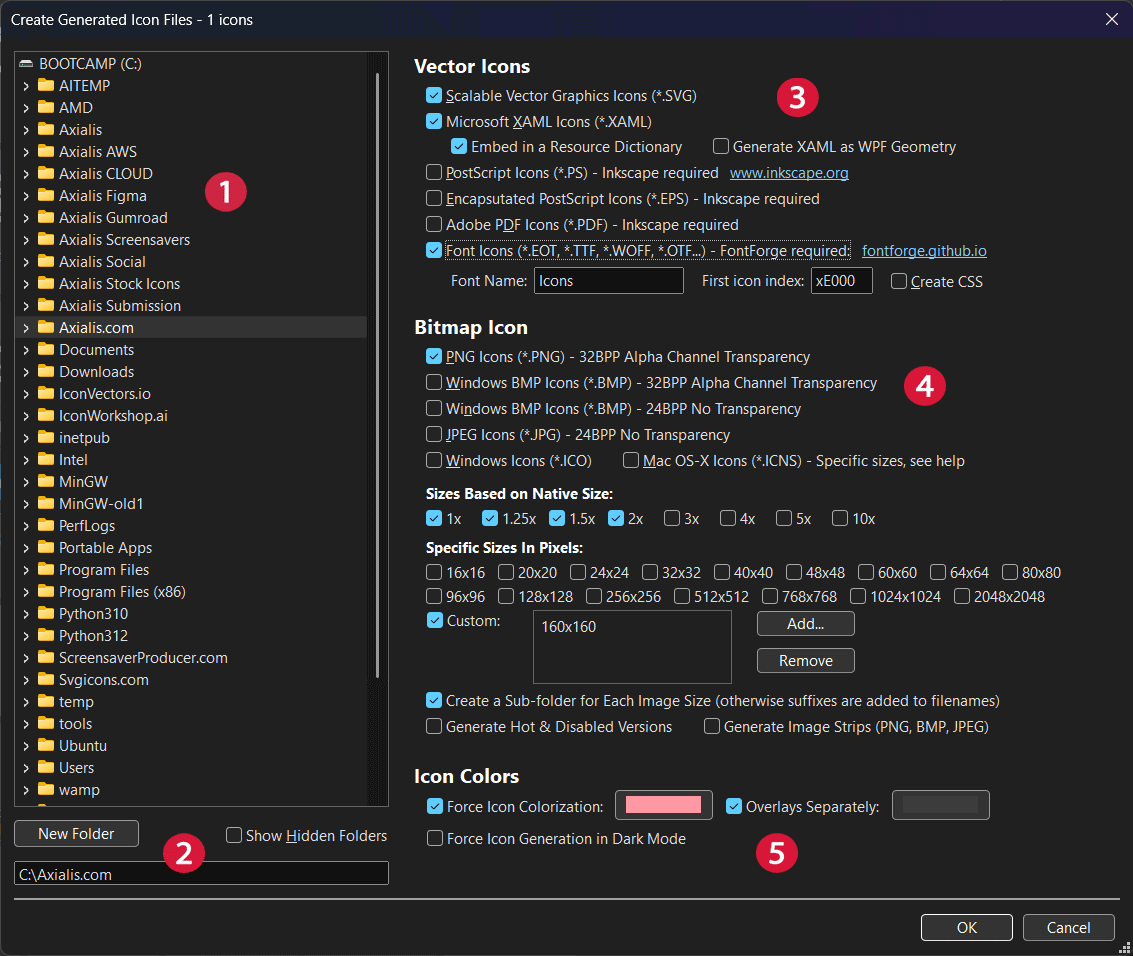
IconGenerator can export icon fonts for web and application UI workflows. This is useful when your design system still relies on font-based icon delivery.
Before you start
- Prepare a collection (
.AXICP) containing the icon set you want to publish. - Install FontForge, which is required for font export.
Step 1 - Open export from your collection
- Use
Collection -> Create Collection Icon Files...(F4). - Select an output folder dedicated to font artifacts.
Step 2 - Enable font output and CSS
- Enable Font Icons output.
- Enable Create CSS if you want ready-to-use class mappings.
- Set a clear Font Name matching your project naming convention.
Step 3 - Choose a safe glyph index range
Set First icon index to a private Unicode range (a common start is xE000) to avoid collisions with standard text characters.
Step 4 - Validate output files
After generation, confirm expected artifacts are present: font files, CSS mapping (if enabled), and any sample files generated by the workflow.
Command-line equivalent
icongenerator -g "C:\icons\project.axicp" -d "D:\build\font" /font /css /fn appicons /fi xE000